
Back-to-back meetings can be exhausting. People are expected to listen, participate, take notes, remember important decisions, and still keep up with what happens next. That’s where Granola AI comes in.
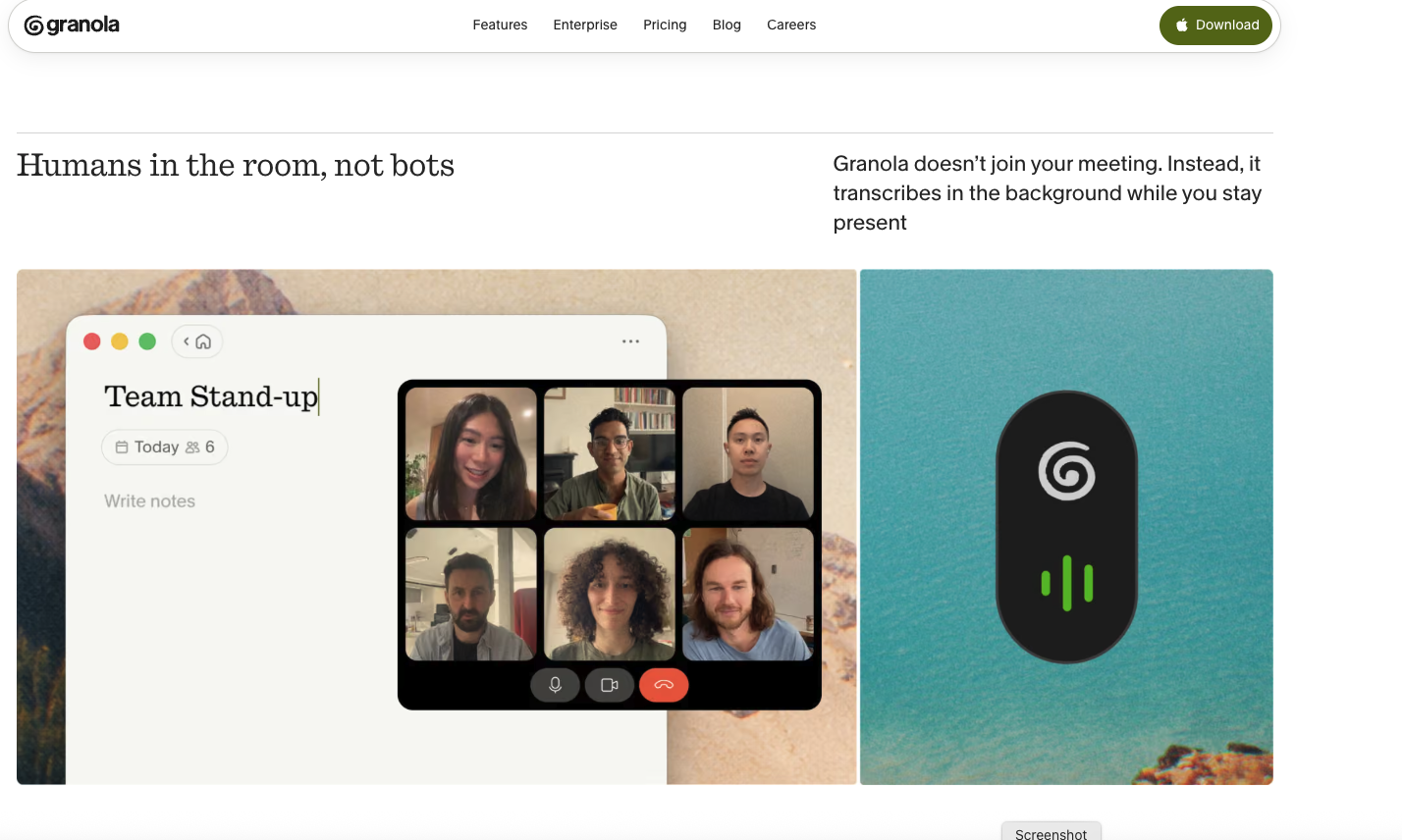
Granola is an AI-powered meeting notepad designed to capture conversations, improve notes, and help users remember what actually matters. Unlike traditional meeting assistants, it doesn’t need a bot to join the call. Instead, it uses the computer’s audio to understand the meeting while the participant stays in the conversation.

Quick Intro to Granola AI
Granola AI is an AI meeting notes and productivity tool built for people who spend a large part of their day in meetings.
It works with popular meeting platforms such as Zoom, Google Meet, Microsoft Teams, and other meeting apps. The tool combines a user’s own notes with meeting audio and AI to create clearer, more useful notes.
One of its biggest selling points is its simple approach. There’s no meeting bot sitting inside the call, which makes the experience feel less intrusive.
Granola also connects with the calendar and can prepare a brief before an external meeting. This can include information about who is attending, what was discussed previously, and what needs attention in the upcoming conversation.
Read Also: Nomi AI : An AI Companion With Memory and a Soul
How Does Granola AI Work?
Granola uses the computer’s audio to capture what is being discussed during a meeting. At the same time, users can write their own rough notes.
After the meeting, Granola uses AI to enhance those notes and organize the important information. Instead of ending up with pages of messy bullet points, users can get a cleaner view of conversations, decisions, action items, and key takeaways.
The idea is pretty straightforward: listen to the meeting, participate naturally, and let AI handle the heavy note-taking work.
Key Features of Granola AI
AI-Powered Meeting Notes
Granola turns meeting conversations into useful notes. It can help users capture important points without forcing them to constantly type everything being said.
No Meeting Bot
Unlike many AI meeting assistants, Granola doesn’t require a bot to join the meeting. It uses the computer’s audio instead, making it a more discreet option for teams and professionals.
Calendar Integration
Before an external meeting, Granola can sync with the user’s calendar and prepare a meeting brief. This helps users quickly understand the participants, previous discussions, and what matters for the next conversation.
AI Chat Across Meetings
Users can interact with their meeting information through AI chat. This can make it easier to find answers or connect information from different conversations.
Meeting History
Granola keeps meeting information available so users can look back at previous conversations. The amount of history available depends on the selected plan.
Custom Note Templates
Different meetings need different types of notes. Custom templates allow users to structure their notes around their own workflow, whether that’s sales calls, interviews, team meetings, customer discussions, or one-on-one conversations.
Multi-Language Support
Granola supports multiple languages, making it useful for international teams and professionals who regularly communicate across different languages.
Integrations
Business users can connect Granola with tools such as Notion, Slack, HubSpot, Attio, Affinity, and Zapier. These integrations can help move information from meetings into other parts of the workflow.
Privacy and Security
Privacy is an important part of Granola’s positioning. Users can choose how they share their notes, and the platform provides options to opt out of model training.
For enterprise customers, model training is turned off by default. Granola also states that it achieved SOC 2 Type 2 certification in July 2025, alongside enterprise security and administrative controls.
Uses of Granola AI
Granola can be useful across several types of professional work.
For sales teams, it can help capture customer conversations, objections, requirements, and follow-up actions.
For managers, it can make recurring team meetings easier to document and review.
For founders and executives, meeting briefs and searchable meeting history can reduce the time spent trying to remember previous conversations.
For recruiters, it can help organize interview notes and important candidate discussions.
For consultants and client-facing professionals, it can provide a structured record of conversations and next steps.
In short, anyone dealing with several meetings every day can potentially benefit from having an AI-powered meeting notepad.
Pros and Cons of Granola AI
Pros
- No meeting bot needs to join the call
- Works with Zoom, Google Meet, Teams, and other meeting apps
- AI-enhanced meeting notes
- Calendar-based meeting preparation
- AI chat across meetings
- Custom note templates
- Multi-language support
- Useful integrations for business users
- Privacy controls and model-training opt-out
- Enterprise security features
Cons
- The full feature set requires a paid plan
- Advanced integrations are available only on higher plans
- Enterprise features may be unnecessary for individuals
- Users still need to consider consent and local laws before transcribing meetings
- The service is primarily designed around a computer-based meeting workflow
Granola AI Pricing
Granola offers three main plans: Basic, Business, and Enterprise.
Basic: $0 per user/month
The free Basic plan provides a way to try Granola without paying. It includes AI meeting notes, limited meeting history, AI chat, shared folders, customized note templates, and multi-language support.
Business: $14 per user/month
The Business plan is aimed at individuals and small teams. It includes everything in Basic, along with unlimited meeting notes and history, advanced AI models and features, additional integrations, centralized billing, user management, MCP integration, and API access.
Enterprise: $35 per user/month
The Enterprise plan is designed for larger organizations. It includes Business features plus enterprise-grade security, SSO, priority support, usage analytics, organization-wide deletion controls, and additional administrative options.
Enterprise pricing is listed at $35 per user per month, with no minimum number of seats for in-app purchases. Organizations with 50 or more seats can contact the Granola team.
Granola AI Pricing Overview
| Plan | Price | Best For |
|---|---|---|
| Basic | $0/user/month | Individuals trying Granola |
| Business | $14/user/month | Individuals and small teams |
| Enterprise | $35/user/month | Larger organizations |
Is Granola AI Worth It?
Granola AI stands out because it doesn’t try to make meetings more complicated. Instead, it focuses on one common problem: remembering what happened during a meeting without spending the entire call writing notes.
For someone who attends several meetings every day, that can be a real time saver. The combination of AI notes, meeting history, calendar preparation, and integrations makes it more than just a transcription tool.
However, privacy and consent shouldn’t be overlooked. Granola recommends getting permission before transcribing other participants, and requirements can vary depending on where meeting participants are located.
Granola AI: Overview
Granola is essentially an AI notepad for meetings. It listens through the computer’s audio, combines that information with the user’s own notes, and uses AI to turn rough information into something more useful.
Its biggest advantage is the lack of a meeting bot. For professionals who want AI assistance without adding another participant to every call, that difference can be meaningful.
With plans ranging from free to enterprise-level pricing, Granola also gives users room to start small and upgrade as their meeting and collaboration needs grow.
Conclusion
Meetings aren’t going away anytime soon, but the tedious part of documenting every conversation doesn’t have to stay the same.
Granola AI brings AI-powered note-taking, meeting memory, preparation, and collaboration into one simple workflow. Its bot-free approach, calendar preparation, AI chat, integrations, and privacy controls make it an interesting option for modern professionals and teams.
For anyone constantly jumping from one meeting to another, Granola’s promise is simple: stay focused on the conversation and let AI take care of the notes.