
AI tools are everywhere today, but using a different tool for every task can quickly become a headache. One tool is needed for presentations, another for websites, another for videos, and yet another for research or audio.
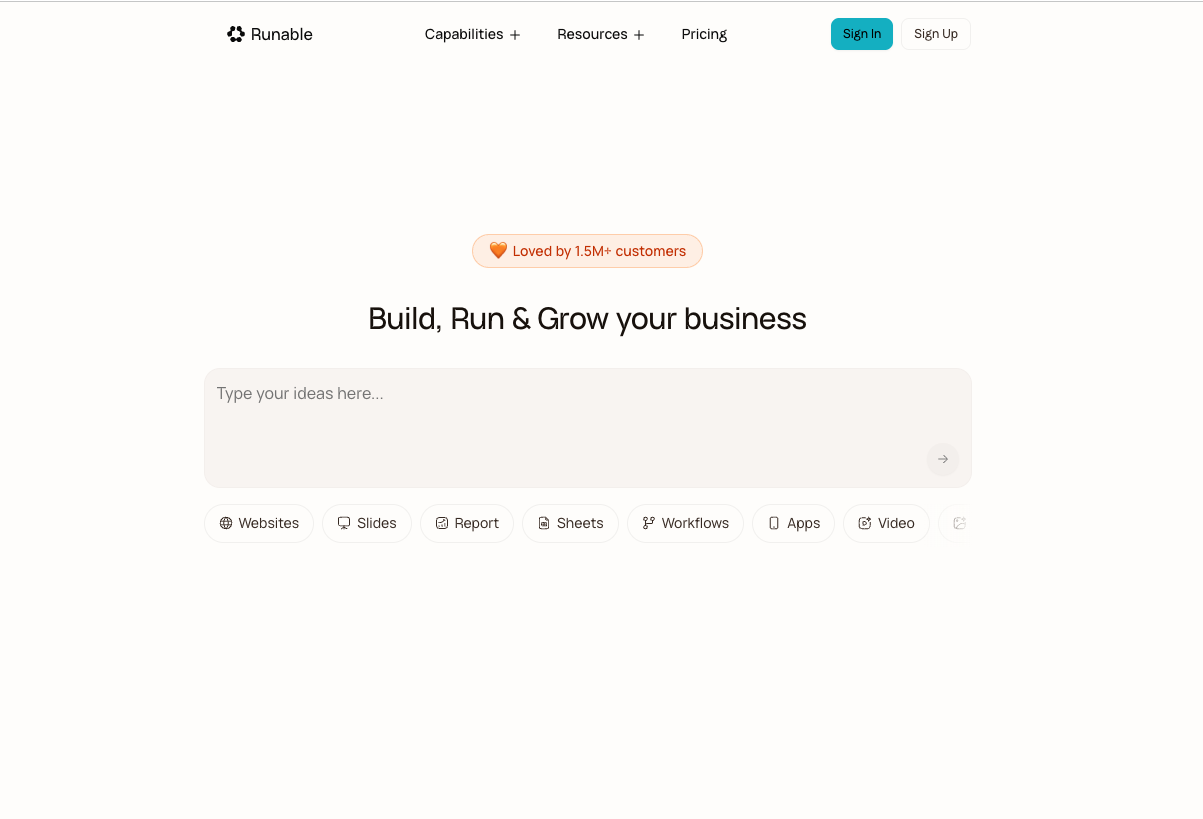
Runable AI takes a different approach. Instead of making users jump between multiple AI platforms, it brings several creative and productivity tools together under one AI agent.
From building websites and creating presentations to generating videos, images, reports, audio, spreadsheets, and social media carousels, Runable is designed to handle the work from a single workspace.
Quick Intro to Runable AI
Runable is an AI-powered platform built around a single agent that can understand a user’s goal, break the task into smaller steps, select the required tools, and produce the final result.
The process is fairly simple. A user describes what needs to be created, answers a few questions if required, and lets the AI agent handle the rest.
The platform can work on everything from a simple presentation to a complete full-stack website with features such as databases, payments, analytics, file storage, and custom domains.
It also provides access to multiple AI models and thousands of plugins, giving the agent a wider range of tools to work with.
Key Features and Uses of Runable AI
1. AI Website Builder
Runable can build and deploy full-stack web applications without requiring users to manually handle every part of development.
Depending on the project, websites can include databases, file storage, Stripe payments, analytics, custom domains, and even Android and iOS app building.
This makes the feature useful for startups, creators, marketers, and businesses that want to turn an idea into a working digital product.
2. AI Slides
Creating a presentation can take hours when research, writing, design, images, and formatting all have to be handled separately.
Runable’s AI Slides feature is designed to simplify that process. Users can generate professional presentations, edit text and layouts, adjust visuals, and export the finished presentation to PDF or PPTX.
For example, a startup founder can use it to create an investor pitch deck, while a marketer can prepare a presentation for a client.
3. AI Images
Runable also works as an AI image creation and editing platform.
It can generate images from text, remove backgrounds, improve image resolution, edit text inside images, and make targeted changes through region-based editing.
This can be useful for social media posts, advertisements, product visuals, presentations, and other marketing content.
4. AI Videos
Video creation is another major part of the platform.
Users can create videos from text or images, adjust the visual style, add motion controls, remove backgrounds, and combine clips using a timeline.
For content creators and marketing teams, this can make the process of producing short-form video content much easier.
5. AI Chat
Runable’s AI Chat goes beyond a basic chatbot.
The agent can write code, run commands, search the web, analyze files, and build projects inside a private sandbox environment.
This makes it more useful for people who want an AI assistant that can actually work on a project rather than simply provide suggestions.
6. AI Reports
Research-heavy work can also be handled through Runable’s AI Reports feature.
It can create structured reports with citations, charts, and analysis. The content can then be edited using a Markdown editor with version history.
Businesses can use this for research reports, executive summaries, proposals, documentation, and internal reports.
7. AI Canvas
The AI Canvas provides a freeform visual workspace where users can generate, upload, arrange, and edit images and videos.
It is particularly useful when a project requires more visual control instead of simply generating one finished asset.
8. AI Carousel
Social media teams can create multi-slide carousel posts for platforms such as Instagram, LinkedIn, and X.
Users can start with templates or describe what they want, allowing Runable to create the carousel content and design.
9. AI Audio
Runable also covers audio production. Its audio tools include text-to-speech, music generation, sound effects, voice cloning, dubbing, and transcription.
For podcasters, video creators, marketers, and businesses, these features can reduce the need for separate audio tools.
10. AI Spreadsheets
The platform can generate spreadsheets with formulas, charts, and formatting. Users can also upload XLSX or CSV files and work with them through an interactive grid.
Who Can Use Runable AI?
Runable is aimed at a broad group of users rather than just developers.
Creators and entrepreneurs can use it to build websites, prepare investor decks, create social media content, and produce podcasts or voiceovers.
Marketers and content teams can create branded images, videos, landing pages, carousels, and translated or dubbed content.
Businesses and teams can use the platform for research reports, SOPs, proposals, internal dashboards, documentation, and client-facing tools.
The platform also supports connections with services such as Google, Slack, Notion, GitHub, Shopify, and other applications through its plugin ecosystem.
How Runable AI Works
The basic workflow is straightforward.
First, the user describes the desired result. Runable then understands the request and determines which tools or artifact type are required.
Users can choose from options such as Slides, Website, Video, Image, Report, Audio, Carousel, Spreadsheet, Canvas, or Chat. However, selecting an artifact type isn’t mandatory—the agent can also decide which format is appropriate based on the prompt.
Before starting a complicated project, the agent may ask questions about the target audience, tone, visual style, structure, features, or integrations.
Once those details are confirmed, the agent begins building inside an isolated sandbox.
The user can then continue the conversation and request changes. If a modification doesn’t work, Runable also provides rollback and branching options.
Plan Mode and Memory
One useful feature is Plan Mode, especially for complicated projects.
For example, if someone wants a website with multiple pages, user authentication, a database, and Stripe payments, the agent can first research the request and create a structured plan.
The user can review that plan before the actual building starts. This can help reduce unnecessary changes later.
Runable also allows users to save preferences to memory. Brand colors, design preferences, writing style, and other defaults can be remembered for future projects.
Pros and Cons of Runable AI
Pros
- Brings multiple AI capabilities into one platform.
- Can build websites and full-stack applications.
- Supports presentations, images, videos, reports, audio, and spreadsheets.
- Offers thousands of plugins and integrations.
- Supports multiple AI models.
- Allows users to refine projects through conversation.
- Includes Plan Mode for complex projects.
- Offers rollback and conversation branching.
- Useful for creators, marketers, entrepreneurs, and businesses.
Cons
- New users may need some time to understand the platform’s many features.
- Advanced projects can consume credits quickly.
- The large number of tools and options may feel overwhelming at first.
- The quality of the final result can still depend on how clearly the user explains the project.
- Users working on very specialized tasks may still prefer dedicated professional software.
Runable AI Pricing
Runable offers three main plans: Free, Pro, and Max.
Free Plan — $0/month
The Free plan includes 1,500 daily credits.
It provides access to features such as:
- Website and app building
- Slides and carousel creation
- Image and video creation
- Documents and research
- Multimodal chat
- Thousands of plugins
- Multiple AI models
It is a useful option for people who want to explore the platform before paying for a subscription.
Pro Plan — $20/month
The Pro plan provides 25,000 monthly credits along with 1,500 daily credits.
It adds higher limits, priority tools, AI meeting notes, curated workflows, Discord support, and personal assistant capabilities across different channels.
It also includes website and app-building features such as a free database, analytics, Stripe integration, free subdomain, and mobile app building.
Max Plan — $100/month
The Max plan is designed for users with heavier workloads.
It includes 150,000 monthly credits, 1,500 daily credits, unlimited chats in Ask mode, maximum performance, dedicated support, AI meeting notes, and broader personal assistant capabilities.
It also supports channels such as Slack, Microsoft Teams, Telegram, iMessage, and Discord.
Runable AI Overview
| Feature | Runable AI |
|---|---|
| AI Websites | Yes |
| AI Slides | Yes |
| AI Images | Yes |
| AI Videos | Yes |
| AI Reports | Yes |
| AI Audio | Yes |
| AI Carousels | Yes |
| AI Spreadsheets | Yes |
| AI Canvas | Yes |
| AI Chat | Yes |
| Plugins | 3,000+ |
| Free Plan | Yes |
| Pro Plan | $20/month |
| Max Plan | $100/month |
Final Verdict
Runable AI is trying to solve a simple problem: too many AI tools for too many different jobs.
Instead of switching between separate platforms for websites, presentations, images, videos, reports, audio, and social media content, users can give their requirements to one AI agent and let it coordinate the work.
For creators and entrepreneurs, it can be a convenient way to turn an idea into actual content or a working product. Marketers can use it to speed up content production, while businesses can use it for research, documentation, websites, and internal tools.
It isn’t necessarily a replacement for every specialized professional application. Still, its biggest advantage is the ability to bring many different AI-powered workflows into one place.
For anyone looking for an all-in-one AI agent for content creation, research, coding, websites, and business tasks, Runable AI is a platform worth exploring.