


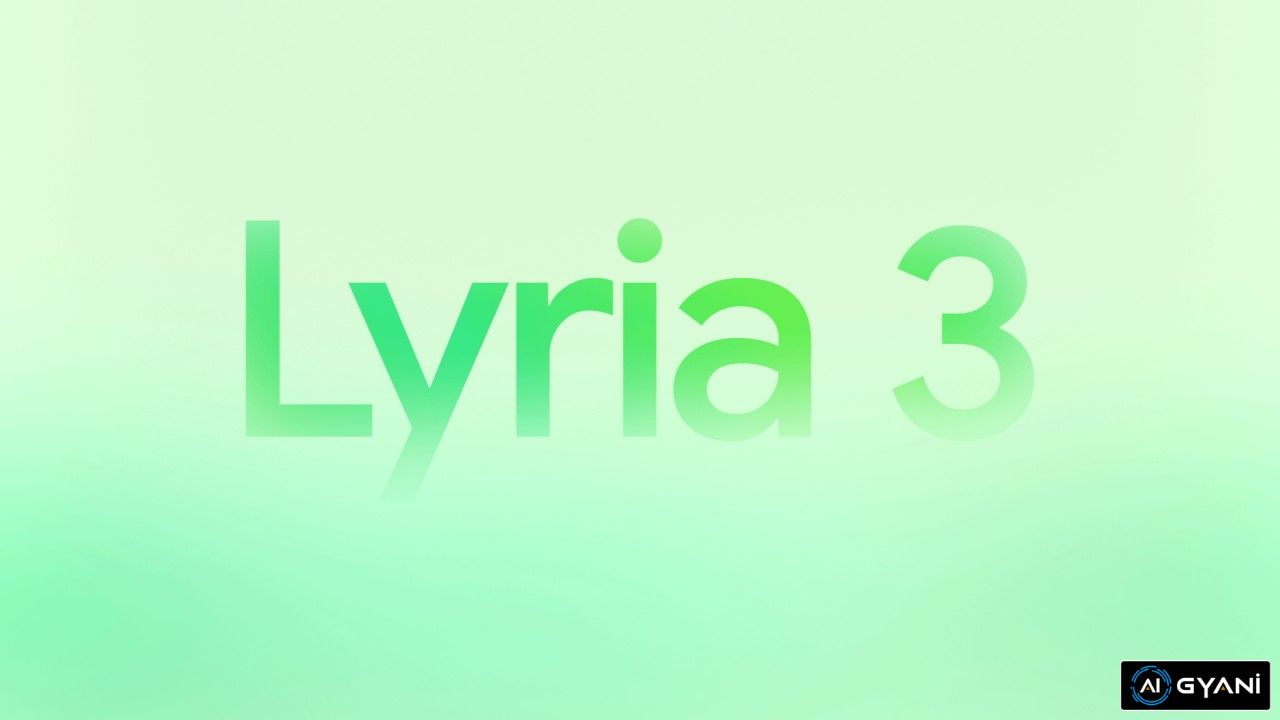
If you’re diving into the world of AI-powered music creation, Google’s Lyria 3 is a game-changer. Launched in February 2026 by Google DeepMind, this advanced music generation model integrates seamlessly into the Gemini app, allowing users to create high-quality, 30-second tracks from simple text prompts or even images and videos.
Whether you’re a content creator, musician, or just experimenting with AI tools, this guide covers everything you need to know about Lyria 3 features, how to get started, best practices for prompts, comparisons to other tools, and more.
Optimized for search with keywords like “Lyria 3 features,” “how to use Lyria 3,” and “best AI music generator 2026,” this detailed overview will help you harness its potential for viral content and creative projects.
What Is Google Lyria 3?
Google Lyria 3 is DeepMind’s latest generative AI model designed for music creation. It’s an evolution of previous Lyria models, focusing on producing realistic, complex tracks with vocals, lyrics, and instrumentation.
Unlike earlier versions, Lyria 3 emphasizes high-fidelity audio, global language support, and integration with visual inputs like photos or videos.
It’s currently in beta and available exclusively through the Gemini app, making it accessible to a wide audience of over 750 million monthly users.
Key highlights:
- Track Length: Up to 30 seconds, ideal for short clips, jingles, or social media soundtracks.
- Inputs: Text descriptions, images, or videos to inspire the music.
- Outputs: Full tracks with lyrics, music, and AI-generated album art via Google’s Nano Banana model.
- Availability: Beta rollout starting February 18, 2026, for users 18+ worldwide. Supports languages including English, German, Spanish, French, Hindi, Japanese, Korean, Portuguese, and Arabic (beta).
- Integration: Built into the Gemini app on desktop (with mobile coming soon) and YouTube’s Dream Track for Shorts creators.
Lyria 3 stands out for its focus on original expression, with built-in safeguards to prevent mimicking real artists—prompts referencing artists are treated as broad inspiration only.
Lyria 3 Features: What Makes It Stand Out?
Lyria 3 packs a punch with features tailored for both beginners and pros. Here’s a breakdown of its core capabilities:
| Feature | Description | Benefits |
|---|---|---|
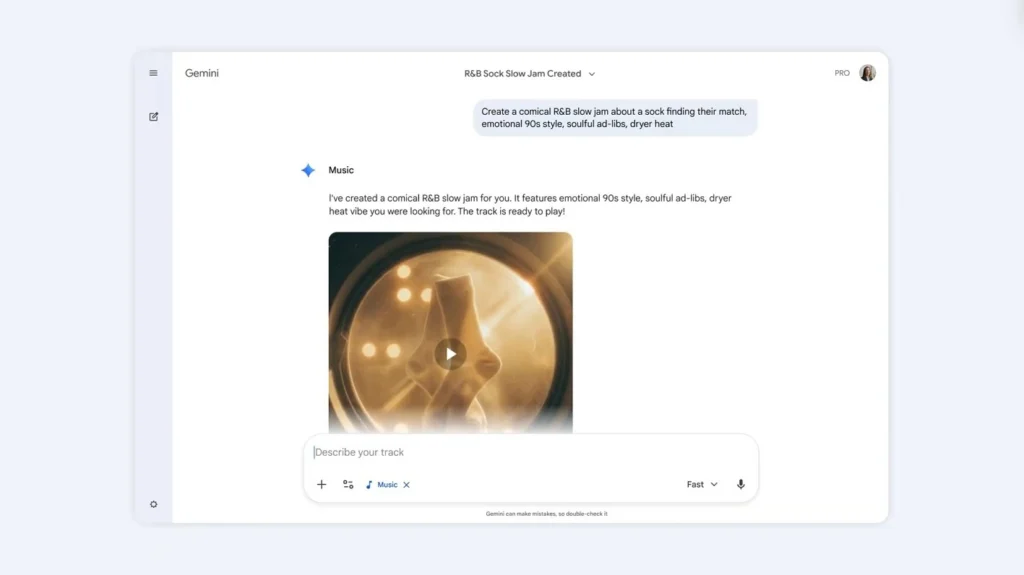
| Text-to-Music Generation | Create tracks from descriptive prompts, e.g., “a comical R&B slow jam about a sock finding their match.” | Quick ideation for custom soundtracks without musical skills. |
| Image/Video-to-Music | Upload a photo or video, and Lyria 3 generates a matching track with lyrics based on the mood, e.g., “Create a track about my dog Duncan on a hike in the woods.” | Perfect for visual creators like video editors or social media influencers. |
| Lyrics and Vocals | Automatically generates lyrics; customize vocal styles, tempo, and genre blends (e.g., pop, funk, Motown). | Supports diverse languages and realistic vocals for global appeal. |
| Customization Controls | Adjust style, vocals, tempo, instruments, and more. High character limits for detailed prompts. | Enables experimentation with unique genre fusions or instrument combos. |
| Album Art Creation | Uses Nano Banana AI to generate cover images automatically. | Ready-to-share packages for professional-looking outputs. |
| Export and Sharing | Download high-fidelity audio or share via links. Professional-grade quality for projects. | Crisp exports for podcasts, videos, or presentations. |
| Safety and Watermarking | All tracks include SynthID watermark for AI detection. Filters check against existing content. | Promotes ethical use and easy identification of AI-generated music. |
Compared to previous Lyria models (like Lyria 2 in Music AI Sandbox), Lyria 3 offers more realistic tracks, better complexity, and visual prompt integration—making it more versatile for everyday users.
How to Use Google Lyria 3: Step-by-Step Guide
Getting started with Lyria 3 is straightforward in the Gemini app. No advanced setup required—just an account and age verification.
- Access the Gemini App: Log in to Gemini on desktop (gemini.google.com) or the mobile app. Ensure you’re 18+.
- Find the Music Tool: Look for the “Create Music” button below the prompt box.
- Choose a Prompt Type:
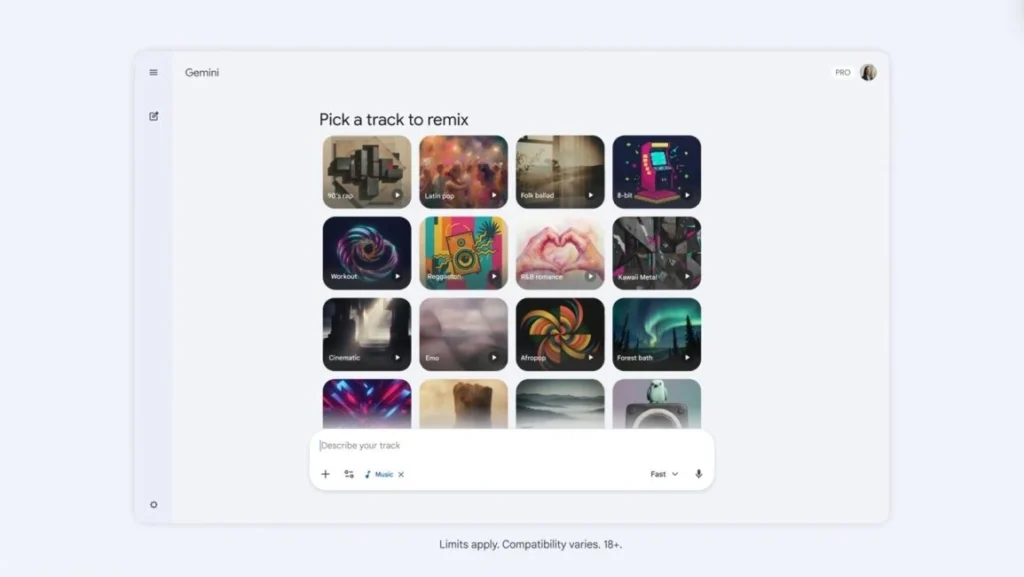
- Select from predefined genres like 90s rap, Latin pop, R&B, or Afropop.
- Or, enter a custom text prompt describing mood, style, vocals, and tempo.
- Optionally, upload an image or video for inspiration.
- Generate the Track: Hit Enter. In seconds, you’ll get a 30-second track, lyrics, and album art.
- Refine and Export: Tweak elements like style or vocals, then download or share the audio.
Example Prompt: “Generate a funky Motown track about exploring space, with upbeat vocals and synth elements.”
Free users may have generation limits, while AI Plus/Pro/Ultra subscribers get higher quotas. For YouTube integration, use Dream Track to create AI Shorts soundtracks globally.
How to Choose the Best Prompts for Lyria 3
Choosing effective prompts is key to unlocking Lyria 3’s potential. Here’s how:
- Be Detailed: Use high character limits for specifics—e.g., “A emotional ballad in Spanish about lost love, with acoustic guitar and soft female vocals.”
- Experiment with Genres: Blend styles like “classical meets EDM” for unique results.
- Incorporate Visuals: Upload photos for mood-based tracks, ideal for product videos or personal stories.
- Lyrics Focus: Provide your own lyrics or let Gemini suggest them, even from mundane text like “Check your email.”
- Test Iteratively: Start vague, then refine based on outputs.
Tips from users: Reward depth in prompts for richer tracks; avoid over-specific artist mimics to stay within guidelines.
Lyria 3 vs Other AI Music Tools: How to Choose the Right One
When deciding on an AI music generator, consider your needs:
- Lyria 3 vs Suno/UDIO: Lyria 3 excels in visual integration and short tracks, while Suno offers longer songs (up to 2 minutes) but less Google ecosystem tie-in. Choose Lyria for quick, image-based creations; opt for Suno for full songs.
- Lyria 3 vs Stable Audio: Stable focuses on sound effects; Lyria is better for lyrical music.
- Factors to Choose: If you need ethical watermarking, global languages, or Gemini integration, Lyria 3 wins. For free tiers, check limits—Lyria’s beta is accessible but capped at 30 seconds.
Expert views: AI music tools like Lyria spark debates on copyrights, but features like SynthID help mitigate issues.
Tips for Maximizing Lyria 3 and Gaining Traffic
- SEO Integration: Use generated tracks in blog posts or videos with keywords like “AI music examples 2026.”
- Creative Uses: For educators, create presentation jingles; for marketers, custom ad soundtracks.
- Ethical Best Practices: Always disclose AI generation and respect artist inspirations.
- Troubleshooting: If outputs don’t match, refine prompts or try different languages.
FAQs About Google Lyria 3
- Is Lyria 3 free? Yes, in beta via Gemini, but with potential limits for non-subscribers.
- Can I extend tracks? Currently limited to 30 seconds; future updates may expand.
- How to detect AI music? Use Gemini to upload and check for SynthID.
Stay updated via official Google channels for expansions. Lyria 3 democratizes music creation—start experimenting today to boost your AI news blog’s engagement!