


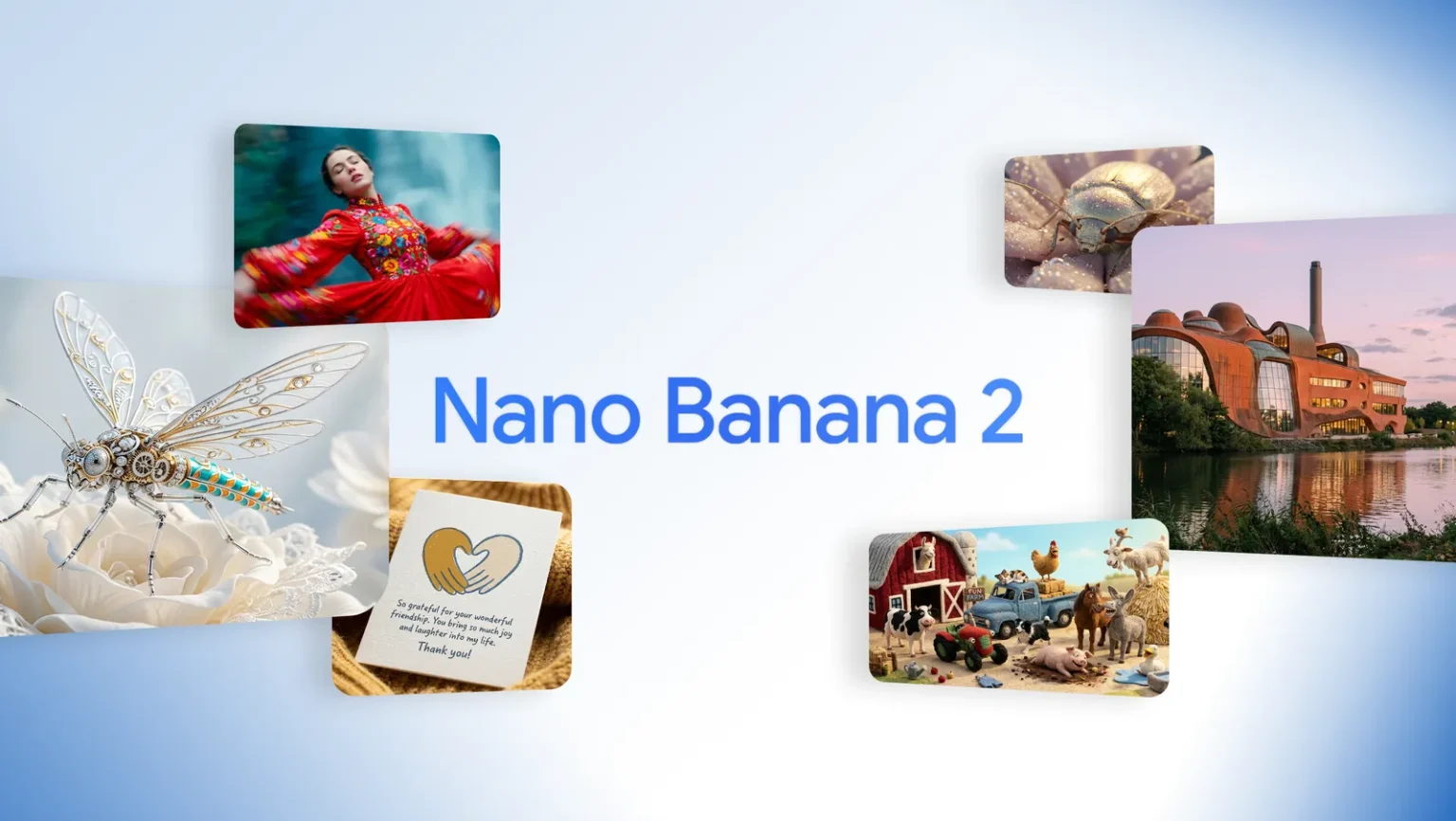
Nano Banana 2 is engineered for creators and developers who need speed without sacrificing visual precision. It combines advanced visual intelligence with low-latency performance, making it ideal for rapid iteration, production workflows, and creative experimentation.
In this guide, you’ll discover:
- Core Nano Banana 2 features
- Powerful Nano Banana 2 capabilities
- Step-by-step instructions on how to use Nano Banana 2
- A practical Nano Banana 2 prompt guide
- Optimization tips and FAQs
What Is Nano Banana 2?
Nano Banana 2 is a high-performance image generation model designed to deliver professional-grade visuals at exceptional speed. It enables users to generate, refine, and control images in real time.
It is particularly useful for:
- Designers and creative teams
- Developers integrating image APIs
- Marketers producing visual content at scale
- Product teams building AI-powered tools
Nano Banana 2 Features
The strength of Nano Banana 2 lies in its refined feature set built for flexibility and efficiency.
1. Ultra-Low Latency Output
Generate high-quality images quickly, making it suitable for live previews and interactive tools.
2. Advanced Prompt Adherence
Better interpretation of instructions, including composition, lighting, perspective, and stylistic cues.
3. Multi-Style Image Generation
Create:
- Photorealistic images
- Digital illustrations
- Cinematic scenes
- Product mockups
- Concept art
4. Adjustable Creativity Controls
Balance between:
- Predictable outputs
- Creative variations
- Stylized reinterpretations
5. Consistency Across Generations
Maintain character traits, object shapes, and environment themes across multiple outputs.
6. Provenance & Verification Support
Supports embedded metadata for identifying AI-generated content.
Nano Banana 2 Capabilities
Nano Banana 2 capabilities extend beyond basic image generation.
Visual Reasoning
Understands object placement, depth, shadows, and relationships within a scene.
Scene Composition Control
Supports structured prompts such as:
- Foreground subject
- Background environment
- Lighting direction
- Camera angle
Iterative Refinement
Quickly modify:
- Colors
- Perspective
- Mood
- Detail levels
API & Scalable Integration
Designed for seamless integration into:
- Creative platforms
- SaaS tools
- Automation pipelines
Nano Banana 2 Prompt Guide
Crafting the right prompt is critical for optimal results. Here’s a practical Nano Banana 2 prompt guide.
Prompt Structure Formula
Use this format:
Subject + Action + Environment + Style + Lighting + Camera Angle
Prompt Examples
1. Prompt:
High-quality flat lay infographic explaining the life cycle of a butterfly using real craft materials (paper leaves, clay caterpillar, cotton clouds). Clean beige background, hand-drawn arrows connecting each stage. Modern educational style, top-down view, soft natural lighting.
2. Prompt:
Cinematic 4-part visual story of a curious red panda exploring a rainy city at night. Neon reflections on wet streets, shallow depth of field, consistent character design throughout. Emotional progression from nervous to joyful. 16:9 format.
3. Prompt:
Dramatic aerial photography of a golden desert canyon at sunrise. Long shadows, warm amber tones, winding river cutting through sandstone cliffs. Soft haze in the distance, ultra-detailed landscape realism, wide panoramic composition.
4. Prompt:
Triptych comparison infographic of three forest types: Tropical Rainforest, Temperate Forest, and Boreal Forest. Each panel labeled clearly, semi-realistic illustration style, rich natural colors, educational layout, 16:9 aspect ratio.
5. Prompt:
Hand-drawn graphite pencil sketch of an old lighthouse on a rocky cliff during a storm. Rough shading, visible pencil strokes, textured paper background, dramatic clouds and crashing waves, moody atmosphere.
Prompt Optimization Tips
- Be specific about materials and textures.
- Mention camera types (macro, wide-angle, aerial).
- Define mood (moody, vibrant, minimalist).
- Use style references carefully and clearly.
- Start simple, then refine incrementally.
How to Use Nano Banana 2 (Step-by-Step)
For Developers
- Obtain API credentials.
- Choose image resolution and output format.
- Send structured prompt input.
- Adjust creativity and control parameters.
- Iterate and refine.
For Creators Using a UI
- Enter a clear descriptive prompt.
- Adjust style strength sliders.
- Generate preview images.
- Refine prompt wording.
- Export final result.
Best Practices for Better Results
- Start with low-resolution drafts for faster iteration.
- Lock essential attributes when creating series content.
- Use consistent phrasing for recurring characters.
- Combine AI outputs with manual editing for production-level polish.
Use Cases
Nano Banana 2 is well suited for:
- Marketing visuals
- E-commerce product imagery
- Social media creative assets
- Storyboarding
- Educational illustrations
- Branding concept development
Safety, Authenticity & Responsible Use
Nano Banana 2 supports provenance tagging to enhance transparency. Organizations can verify image origin and maintain responsible deployment standards in commercial and public environments.
Frequently Asked Questions (FAQs)
1. How do I use Nano Banana 2 for professional projects?
Use structured prompts, adjust creativity parameters, and iterate quickly. For production, combine outputs with manual editing tools.
2. What are the main Nano Banana 2 features?
Key features include low latency, strong prompt adherence, multi-style generation, consistency controls, and provenance support.
3. What makes Nano Banana 2 capabilities different from other models?
It emphasizes both speed and visual reasoning, allowing near real-time iteration while maintaining image quality.
4. How can I improve prompts when using Nano Banana 2?
Follow a structured format, include environment and lighting details, and refine with small incremental changes.
5. Can Nano Banana 2 be integrated into apps?
Yes. It is designed for API-based integration and scalable deployment in creative and commercial applications.
Final Thoughts
Nano Banana 2 stands out for combining speed, flexibility, and intelligent prompt interpretation. Whether you’re building AI-powered creative tools or generating visual content at scale, its features and capabilities enable rapid, high-quality production.
Start experimenting with Nano Banana 2 today. Craft precise prompts, refine strategically, and unlock its full creative potential.