


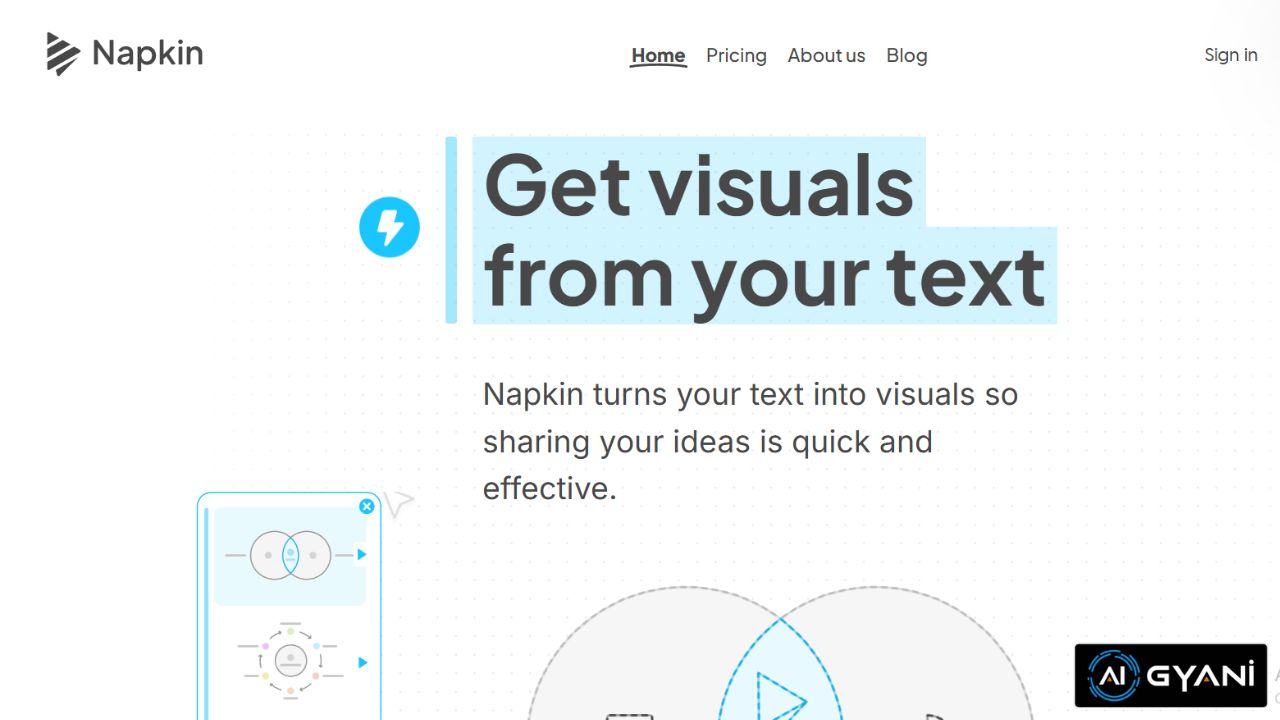
Napkin AI is an AI-powered visual storytelling tool that helps anyone turn plain text into professional visuals such as diagrams, charts, flowcharts, infographics, and other graphic elements — all without needing design skills.
Instead of spending hours creating visuals manually, Napkin uses artificial intelligence to interpret your ideas and automatically generate visuals that make concepts clearer and more impactful.
Whether you’re a marketer, educator, founder, or content creator, Napkin AI lets you communicate ideas quickly and effectively by combining text and visuals in a single workflow.
⭐ What Is Napkin AI?
Napkin AI is a visual AI platform focused on converting text into high-quality visuals that help clarify, explain, and present ideas more effectively. You simply type, paste, or generate text within Napkin, and the AI creates relevant visuals such as diagrams, infographics, mind maps, and other visual representations.
The platform was built to address a common problem: most professionals and students rely on text because designing visuals is hard, time-consuming, and requires graphic skills. Napkin solves this by bringing visual communication to anyone with minimal effort.
📌 How Napkin AI Works
- Add or generate text:
You can paste your existing content or let Napkin’s AI generate text based on your ideas. - Generate visuals:
Click the “generate visual” button, and Napkin turns the text into diagrams, flowcharts, charts, or other graphics. - Customize your visuals:
Modify layouts, colors, icons, and fonts to match your style or brand. - Export or share:
Download visuals in formats like PNG, SVG, PDF, or PPT — perfect for presentations, reports, or web posts.
Napkin also supports team collaboration features, letting multiple users comment and edit visuals together.
🛠️ Key Features
🧠 Text-to-Visual AI Generation
Transform plain text into relevant visuals automatically, reducing the effort of manual graphic creation.
🎨 Custom Visual Styles & Branding
Customize diagrams with brand colors, fonts, and styles to keep visuals consistent and polished.
📊 Multiple Export Options
Export visuals in popular formats like PNG, SVG, PDF, or PPT for presentations or sharing.
🤝 Team Collaboration Tools
Invite team members, work in shared spaces, and provide real-time feedback on visuals — similar to collaborative document editors.
🌍 Multilingual Support
Napkin can create visuals from text in 60+ languages, making it useful for global teams and diverse audiences.
💡 Who Is Napkin AI For?
• Marketers & Communicators:
Quickly turn campaign strategies, reports, and insights into compelling visuals without a designer.
• Educators & Students:
Visualize complex concepts and lessons with diagrams, flowcharts, and infographics.
• Founders & Teams:
Create pitch visuals, workflow charts, and org diagrams to communicate ideas faster.
• Content Creators & Writers:
Add professional-level visuals to blog posts, social media content, and newsletters.
💰 Pricing & Plans
Napkin AI uses a freemium model:
Free Plan:
- 500 AI credits per week (used for visual generation)
- Unlimited editing and importing of text files
- PNG & PDF export with Napkin branding
Plus Plan (~$9/month):
- Larger monthly credit quota
- Unlimited PPT & SVG export
- Three brand styles and removal of Napkin branding
Pro Plan (~$22/month):
- Highest credit limits
- Full custom branding support (upload fonts, styles)
- Team collaboration and billing features
📊 Why Use Napkin AI?
📈 Saves Time & Effort
Instead of manually designing diagrams, Napkin uses AI to instantly generate visuals, speeding up creative workflows.
🧩 Better Communication
Visuals help audiences grasp ideas faster — visuals are processed far more efficiently by the brain than text alone.
🧠 Easy for Everyone
No design skills are required — Napkin makes visual storytelling accessible to professionals, educators, and students alike.
⚠️ Considerations
• Limited Advanced Design Features:
While excellent for quick visuals and diagrams, Napkin is not a full-featured graphic design suite like Canva or Adobe Illustrator.
• Desktop First:
Creating and editing visuals currently works best on desktop — mobile support is still limited.
• Credit Usage:
Visual generation uses AI credits; the free plan gives a limited quota each week.
📌 Final Thoughts
Napkin AI simplifies visual communication by turning text into clear, professional graphics in seconds. It’s ideal for those who want to convey ideas more effectively — whether in presentations, reports, or educational materials — without investing lots of time in design tools.
If quick, impactful visuals matter in your workflow, Napkin provides a powerful, AI-driven shortcut that makes visuals easy and accessible for everyone.